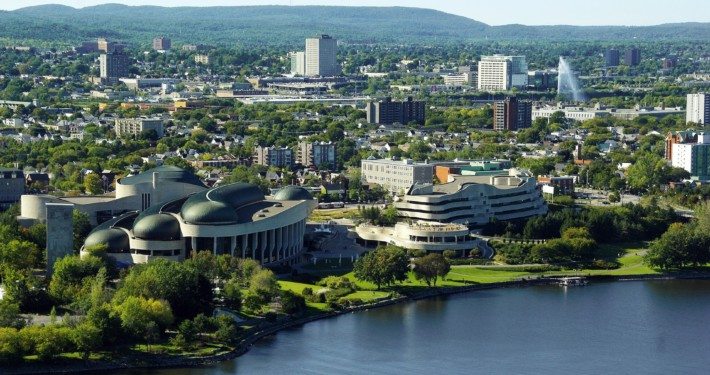
GIS jobs in Ottawa
Over the years Ottawa has evolved into a political and technological center of Canada and considered one of the best places to live in Canada. Check out some of the GIS jobs available in the Ottawa area …

Recently, someone contacted me looking for information on where they could find Ontario topographic data for the Thunder Bay area, so I assumed that they must have already checked the Canadian data page and suggested that they check out the Ontario Basic Mapping website (OBM).
The Ontario Basic Mapping (OBM) site by the Geography Network is a great online resource with simplistic interactive interface that provides users tools to create customized map views and the ability to download various topographic base mapping data for the entire Province of Ontario. The site contains GIS layers created from 1:10,000 base maps from the Ontario Ministry of Natural Resources that people can download including layers for transportation, water, municipal, elevation, parks and conservation areas. The portal created with ArcIMS makes it pretty easy to use and a convenient way to obtain mapping data in a variety of formats for virtually any area of interest in Ontario.

However, that person replied back to me a few days latter telling me that the site was only an online web map viewer and they needed actual data to use in a GIS, and wanted to know if I had any other sources of mapping information for Northern Ontario.
Now, I thought that the e-mail was a little strange since I have used data from the Ontario Basic Mapping web site before while planning various aerial surveys in Northern Ontario, so I decided to go check out the web site to see if the downloading data feature that I had used had been removed. Turns out the site is still the same, it can be used as an online web map viewer to customize and print maps but the downloading option still exists providing the ability to download the map layers in the viewer to use with your own GIS software packages like ArcMap or MapInfo.
It seems like a pretty simple mapping application to me but maybe it is not as obvious as some people need it to be, so I decided to share some of the notes on downloading topographic base data from the OBM site that I provided to them, in case others have trouble figuring how to download the data as well (And summarized in the video at the bottom).
The OBM site is an ArcIMS site with a simplistic look and an interactive interface that provides users with tools to create customized map views and the ability to download the various topographic base mapping data in the map window. If you are not interested in downloading GIS layers but still want to make some maps then like most typical map viewers, they also provide printing options where you can create either paper or digital PDF maps.
 When you first open the viewer you are zoomed out to the full extent of the province with mapping tools represented by icons on your left and accessible data layers on the right hand side. Using the AOI icon, you first need to define an area of interest that will zoom the map window into your specific area, populating the map window with more detailed GIS layers and features.
From the list on the right hand side, you then select the visible layers that you wish to download. Next using the FME icon from the tools on the left hand side, a window will open up prompting you to log-in, create a free user name and password (or enter your existing log-in) and then a download options window will appear.
You then need to click a check box to agree with the license terms and click the Download Data button to continue. Finally another window with instructions for acquiring the data in a variety of formats (e.g. SHP, DWG, DXF etc.) and in either Latitude / Longitude or Lambert Conformal Conic coordinate system. Then there will be one final window with a message telling to check your e-mail for a message.
You will then get a machine-generated e-mail from the Geography Network with a custom download link with the Ontario topographic data layers that you specified for your area of interest that you defined. And that is all there is to it, so if you are looking for Ontario topographic GIS data layers to download or just want want to create online maps then the Ontario Basic Mapping (OBM) site could help you out.
If you know of other Ontario data sources that I have not yet added to the Canadian data collections then let me know about it and I will add it to the site.
Over the years Ottawa has evolved into a political and technological center of Canada and considered one of the best places to live in Canada. Check out some of the GIS jobs available in the Ottawa area …

 Historical Maps of Manitoba